
Edit text in PDF online
Click on any line of your PDF and rewrite it, like in a word processor. windpdf edits the document's own text runs, the original font is preserved, and rotated text stays rotated.
Drop your PDF here to start
to use Edit text (free, no account)
Files stay private: PDFs and images are edited in your browser.
Original font preserved
windpdf reuses the font embedded in your document and embeds only the glyph subset you actually use, so edited text is indistinguishable from the original.
Rotated text supported
Text at any angle stays editable in place, the edit box, selection and highlights follow the rotation instead of snapping back to horizontal.
Runs in your browser
Editing is done by the MuPDF engine compiled to WebAssembly. Your file is processed on your device and only uploaded if you choose to save it to your drive.
The text editor, up close
This is what opens when you click Edit text: your own page, the editor's selection frame, and a floating bar carrying the fonts already embedded in the file.
Click the line, rewrite it
The blue frame and its handles are the editor's real selection chrome. You type, and windpdf rewrites the text run underneath instead of covering it with a white box.
What the edit leaves alone
Only the run you touched is rewritten. The rest of the page stream is copied through untouched.
A scan has nothing to edit yet
Scanned pages are images. Run OCR in editable mode first and the words come back as real text runs you can click into.
Rotated text edits at its own angle
Diagonal watermarks, rotated tables, vertical labels: the edit box, the selection and the highlights all follow the rotation instead of snapping back to horizontal.
Real PDF text editing, not an overlay
Most online "PDF editors" paint white boxes over your text and add new text on top. windpdf rewrites the actual text runs inside the page content stream: unedited text is left byte-for-byte untouched, and the edited run keeps its font, size and color.
Because the document's own embedded font is reused, there is no font substitution and no layout jump, the line you fix looks exactly like the lines around it.
What you can do with the text editor
- Fix a typo, a wrong date or an old price directly in the sentence
- Delete a word or a whole text block, the surrounding layout is preserved
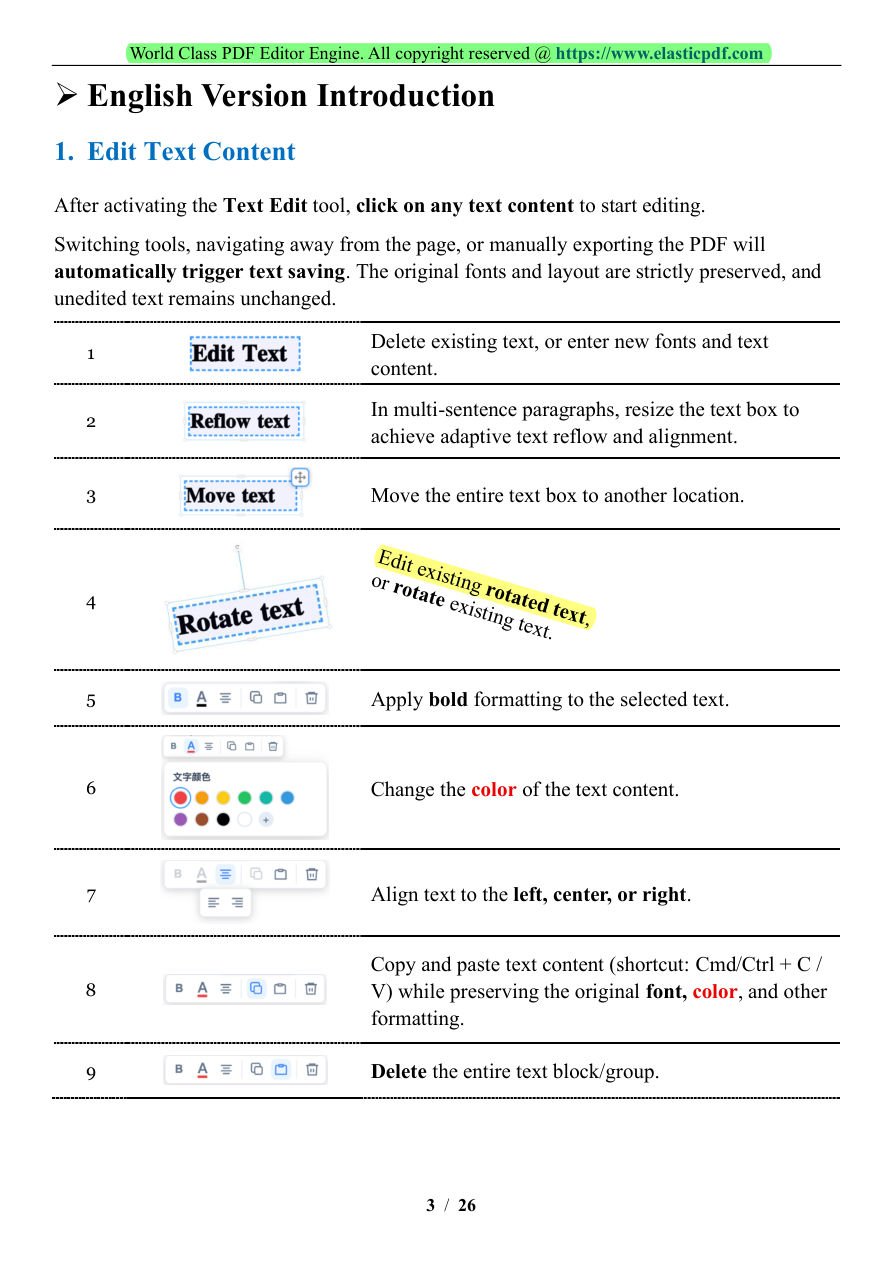
- Move or resize a text block; paragraphs reflow inside the box
- Edit rotated or vertical text without straightening it first
- Copy-paste text while keeping the original formatting
Done in three steps
Upload your PDF
Drop the file above, it is read locally in your browser, never uploaded to a server.
Use the tool
The editor opens with the right tool selected. Make your changes in a couple of clicks.
Download the result
Save the finished PDF straight to your device. No account, no watermark, no wait.
Frequently asked questions
No. windpdf reuses the font already embedded in your PDF and embeds only the extra glyphs your edit needs. The edited text keeps the original typeface, size and color.
Yes. Rotated text runs stay editable at their own angle, the editing box, selection and highlights all follow the rotation.
A scanned page is an image, so there is no text run to edit. Run the OCR tool first to get a searchable or editable text layer, then edit it.
No. Editing happens in your browser with the MuPDF WebAssembly engine. The file only leaves your device if you explicitly save it to your windpdf drive.